





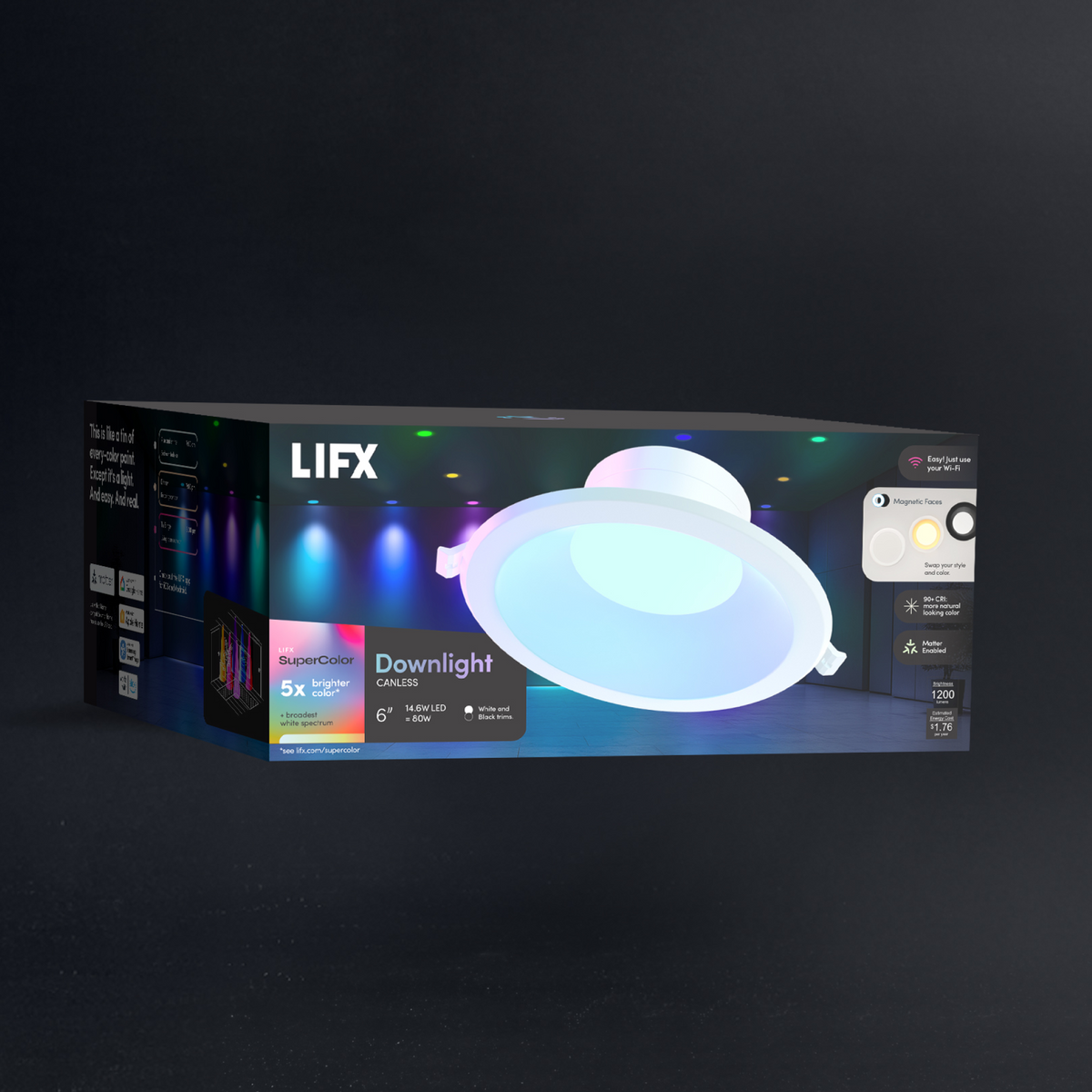
LIFX SuperColor 6" Downlight Canless - 1200 Lumens

An energy-efficient fixture that delivers brilliant light and endless versatility. With billions of colors plus tunable warm-to-cool whites, it adapts to every moment from dawn to dusk. Producing an impressive 1200 lumens from just 14.6 watts, it offers Wi-Fi control, dynamic effects, and smart integrations right out of the box. The deep baffle design and interchangeable magnetic trims create a sleek, modern finish, while canless installation makes it easy to wire directly in new builds or replace existing recessed cans.


$34.97
1
Buy more, save more
Buy 4 or moreSave 10%
Buy 12 or moreSave 20%
  • No hub required
  • 16M colors + whites
  • Matter certified
  • Ready in 90 seconds
  • Free shipping over $79
  • 2-year warranty

Why you'll love it

Everything you need to know

No Can. No Compromise.

  • Color that looks as good as it should. Custom brains smooth your color in real time, while LEDs chosen for extra depth and brightness deliver the signature LIFX look.
  • Skip the can. Just cut a hole, run the wiring, and drop in the low-profile LED, whether it’s new construction or a swap for an old fixture, with faster installs and less ceiling space needed.
  • Change your look in a snap. Swap between black and white fascias, or add the flush white diffuser for softer, more even light.
  • Just say it. Works with Alexa, Google Assistant, Apple HomeKit, SmartThings and more, so you stay hands-free while you cook, relax, or walk in with your arms full.
  • See your space in its true colors. With 90+ CRI, the LIFX Recessed Downlight brings out richer tones and truer textures in a natural glow that’s easy on the eyes.
Get the most from your lights with the LIFX app, built to unlock the full power of every LED. Choose solid colors with precision using a 360° color wheel and fine-tune saturation and brightness from 1% to 100% for perfect balance.

Want more depth? Try Color Blends and Gradients to paint your lights with multi-tone hues that shift seamlessly, creating the perfect atmosphere for any mood or moment.

Create Scenes that are uniquely yours. Save your favorite lighting combinations with the perfect mix of color, brightness, and effects, then bring them back anytime with a single tap.

Scenes can be scheduled to match your routine or added to the LIFX Widget for quick access from your phone or smartwatch. Whether it’s a calm morning glow or a burst of party color, your perfect lighting is always within reach.

Discover Themes, beautifully curated lighting moods crafted by LIFX designers to transform your space with a tap. Choose from hand-picked looks like Golden Hour, Movie Night, or Holiday Glow to instantly match the moment, from calm evenings to celebrations or game-day energy.

Every Theme can include subtle animation, bringing movement, warmth, and atmosphere that feels alive. Each is designed for effortless ambiance and personality that suits any occasion.

Downlight Setup

04 steps

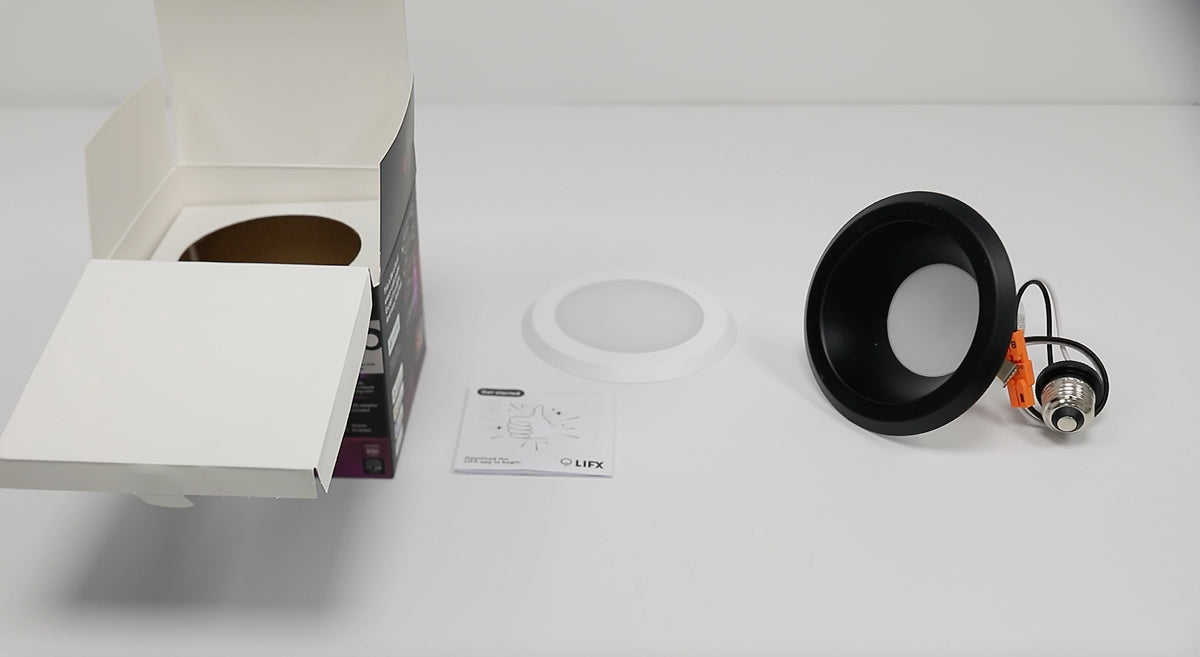
Everything you need to install and style your Downlight is included in the box.

In the box:

  • 1 x SuperColour Canless Downlight with White Trim
  • 1 x Optional Magnetic Recessed Black Trim
  • 1 x Optional Magnetic Flush White Diffuser
  • 1 x LED Canless Power Supply

You’ll Need:

  • A smartphone (iOS 18.0+ or Android 8.1+)
  • The LIFX app (download from App Store or Google Play
  • A 2.4 GHz Wi-Fi network (Most smart devices require 2.4 GHz. If your router combines 2.4 GHz and 5 GHz, that’s usually fine.)
  • Your Wi-Fi password

Important Notes:

  • Keep your phone near the light during setup.
  • Make sure Bluetooth is enabled.
  • Ensure your phone is connected to the same Wi-Fi network you want the light to use.

Before you start

  • Turn off power at the switch and circuit breaker
  • If not qualified to work with luminaire electrical systems, contact a qualified electrician

Canless installation steps

  1. Cut a hole in the ceiling sized to match your product.
  2. Wire the junction box using the included connectors.
  3. Plug in the downlight and tighten the connector.
  4. Bend back the spring clips and push the fixture up into the hole until flush with the ceiling.

Style (choose one)

  • Deep baffle in white — remove the black magnetic face
  • Deep baffle in black — leave the black magnetic face in place
  • Flush to ceiling in white — attach the magnetic flush diffuser for more evenly distributed light
  • Want a custom colour match? Paint the detachable black face to suit

Tips

Do not use with a standard incandescent dimmer — the light will not operate correctly.

Install in a fixture that provides sufficient airflow around the light for optimal performance.

Not suitable for outdoor, wet, or excessively hot environments (e.g. near ovens or heaters).

To factory reset, turn the light off and on at the switch 5 times (roughly one switch per second). The light will cycle through four colors and stop on white when the reset is successful.

Select your device below to get step-by-step setup instructions tailored to your phone. We recommend using the Matter QR code method for the quickest and most reliable connection — you'll find the QR code in your product manual, or printed on the back of your device.

Choose your OS

6" Downlight Canless

  • Brightness1200 lumens
  • Color range16M colors
  • White range1500K–9000K
  • CRI90
  • FittingHardwired
  • Dims7.4 in × 7.4 in × 2.95 in
  • Warranty2 years
Download manual Download spec sheet
ModelLFXR6DBXT/RGBW/RTBarcode9347403005937
Customer Reviews

Real homes. Real lights.

  • 5 stars: 2 (67%)
  • 4 stars: 1 (33%)
  • 3 stars: 0 (0%)
  • 2 stars: 0 (0%)
  • 1 star: 0 (0%)
This product has no reviews of its own. The merchant grouped it with related products, so the reviews shown are from across that group.
J
Jason M. (United States)

These retro cans are amazing, easy to set up and work very well. I’ve been using Apple home products in all my commercial and residential buildings and LIFX is superior to most.
A
Anonymous (United States)

Works well.

Wish you could hold up/down to adjust brightness multiple levels, rather then a series of long presses to get to were you want with single steps.

A
Anonymous

Easy to wire and install, a little difficult to set up because I have a mesh router, but once I bound the IP address, it’s been flawless.

No RISK

Buy it. Try it. Decide later.

  • 30 nights to decideNot right? Send it back for a refund. $14.99 return shipping fee applies.
  • 2-year warrantyHardware coverage, end to end. We ship a replacement first.
  • Free Shipping ** All orders over $79 ship free 
Do I need a hub or bridge to use this light?

No. This LIFX downlight connects directly to your home Wi-Fi (2.4GHz band), so there's no separate hub or bridge required. Just download the LIFX app to get started.

Does this support Matter?

Yes. This downlight is Matter-enabled, so you can add it to Matter-compatible smart home platforms (like Google Home or Apple Home) in addition to the LIFX app. Note that Matter "home and away" access requires a Matter-enabled smart home hub, and devices with older hardware may not be compatible.

What size hole do I need to cut, and which sizes are available?

This downlight is available in 4" and 6" versions — cut a hole matching the diameter of the size you purchase (4" for the 4" downlight, 6" for the 6" downlight). Dimensions are 5 x 5 x 2.95 in (4") and 7.4 x 7.4 x 2.95 in (6").

Can I change the look of the light after installing it?

Yes. The downlight comes with a deep baffle face (available in white or black) and a flush-to-ceiling white option included. You can remove the black magnetic face for a white baffle look, add the magnetic flush diffuser for more evenly spread light, or even paint the detachable black face to match your decor exactly.

Will this work with my existing dimmer switch?

No — standard incandescent dimmer switches aren't compatible with this light and won't allow it to operate properly. For physical on/off and dimming control, pair it with the LIFX Dimmer or LIFX Switch, designed to work seamlessly with your LIFX lights alongside the LIFX app.

What Wi-Fi network do I need, and how do I reset the light if I switch networks?

LIFX lights connect only to the 2.4GHz Wi-Fi band, not 5GHz — if you have multiple networks, make sure you're connecting to the 2.4GHz one. To reset the light to factory settings (e.g., before adding it to a new network), turn it off and on at the switch 5 times in about one-second intervals; it will cycle through four colors and stop on white once reset.

Featured in the publications you already trust
WIREDThe VergeWirecutterEngadgetFast CompanyThe New York TimesGizmodo
Stay in the loop

New products, launches and the occasional good deal. Unsubscribe any time.